
The Monkey Test: When and How to Use It for QA
PD
The takeaway in 30 seconds
- Monkey testing is a type of software testing where random, unpredictable inputs are applied to an application to identify crashes, bugs, and vulnerabilities that structured testing misses.
- The term gained prominence with Google’s release of the Android Monkey tool in 2008, which generates random user inputs including key presses and touch gestures to test mobile applications.
- There are three main types of monkey testing: dumb monkey testing (fully random), smart monkey testing (random within defined constraints), and brilliant monkey testing (intelligently randomized and targeted at high-risk areas).
- Monkey testing is most effective after core functionality is implemented but before final release, and during regression testing cycles when new code changes may have introduced instability.
- TestRail by Sembi gives QA teams a centralized platform to organize, track, and report on monkey testing results alongside structured test suites, ensuring that random testing generates actionable insights rather than unmanaged noise.
What is monkey testing?
Monkey testing is a type of software testing where random, unpredictable actions are performed on an application, product, or system to identify crashes, errors, and vulnerabilities. The name comes from the analogy of a monkey randomly pressing buttons without following any structured sequence. The goal is to simulate real-world, unstructured user behavior that scripted test cases would never replicate.
Monkey testing has nothing to do with actual monkeys. The term describes unpredictable, random interaction with a system in a way that structured testing by definition cannot produce.
Although the concept of random input testing existed informally within the software community for years, the term gained significant prominence when Google released the Android Monkey tool in 2008. This tool generates random user inputs including key presses, touch gestures, and system events to stress-test mobile applications. Google’s tool played a significant role in standardizing the practice, particularly for mobile app testing.
Key variations of monkey testing
Monkey testing encompasses several related approaches that vary in their level of randomness and intent.
Random input testing simulates unpredictable user behavior to ensure the system can handle a variety of inputs without crashing.
Stress testing bombards the application with unpredictable interactions to identify performance bottlenecks and stability issues under extreme conditions.
Fuzz testing introduces invalid, random, or unexpected inputs to uncover security weaknesses and input validation flaws. Fuzz testing is particularly common in security-focused testing and API testing.
Stochastic testing uses probabilistic methods to introduce randomness in a controlled manner, simulating real-world user behavior with a degree of structure.
What Are the Key Objectives of a Monkey Test?

The primary objective of Monkey Testing is to evaluate an application’s stability and robustness by simulating random user actions. This approach helps identify crashes, performance bottlenecks, and unexpected behavior that might not surface during structured testing.
Unlike traditional, methodical testing, Monkey Testing introduces unpredictability, allowing testers to explore the application in a less controlled environment. This makes it an effective way to uncover edge cases and hidden defects that structured test cases may overlook.
Monkey Testing is particularly valuable when assessing how an application responds to real-world, unstructured user behavior or extreme, unforeseen inputs. It provides insights into how well an app can handle unexpected interactions, errors, or stress conditions, making it an essential tool for ensuring reliability in unpredictable usage scenarios.
Revealing Bugs
Monkey Testing is an effective way to uncover bugs that might go unnoticed during traditional structured testing. By introducing random, unstructured interactions, this approach mimics real-world unpredictable user behavior, helping testers identify hidden defects that scripted tests might miss.
Surprisingly, random inputs can often trigger unanticipated crashes, glitches, or unexpected system behavior that wouldn’t appear when following a predefined test script. Think of it as shaking up an application to see what breaks—an approach that helps expose elusive bugs lurking in the system’s deeper layers.
Determining Stress Tolerance
When testing an app’s limits and resilience, Monkey Testing is an effective approach. By flooding the system with random actions, it simulates high user activity and helps reveal performance bottlenecks or failures that might not appear under normal conditions.
Whether through rapid tapping, clicking, or typing, this type of testing exposes points where the system might break down, slow down, or struggle to keep up. It provides valuable insights into the app’s ability to handle real-world stress and ensures it remains stable under heavy user loads or unexpected surges in activity.
Improving Error Handling
A crucial aspect of Monkey Testing is observing how an application responds to unexpected or invalid inputs. Since users will inevitably make mistakes, it’s important to assess whether the app crashes, displays confusing error messages, or handles the situation gracefully.
By running random tests, testers can identify weak spots in the error handling process, ensuring the app can effectively manage unpredictable user interactions without compromising functionality or user experience.
Strengthening Security
Monkey Testing can also reveal potential security vulnerabilities by introducing random actions and inputs that may bypass security protocols. This approach helps assess whether the system is resilient against unauthorized access attempts, malicious data inputs, or unexpected user behaviors that could expose weaknesses.
Since structured testing may not always account for unconventional attack vectors, Monkey Testing adds an extra layer of security validation, helping to uncover vulnerabilities that might otherwise go undetected.
Improving UX
Although Monkey Testing isn’t specifically designed for user experience (UX) testing, it can still provide valuable insights into how users interact with the application. Random inputs may uncover UI glitches, confusing navigation paths, or unexpected behaviors that could negatively impact usability.
For instance, if an app crashes or behaves unpredictably due to random interactions, it suggests that real users might encounter similar frustrations. This makes Monkey Testing a useful tool for spotting pain points that structured usability testing might miss, helping to enhance the overall user experience.
Types of Monkey Testing
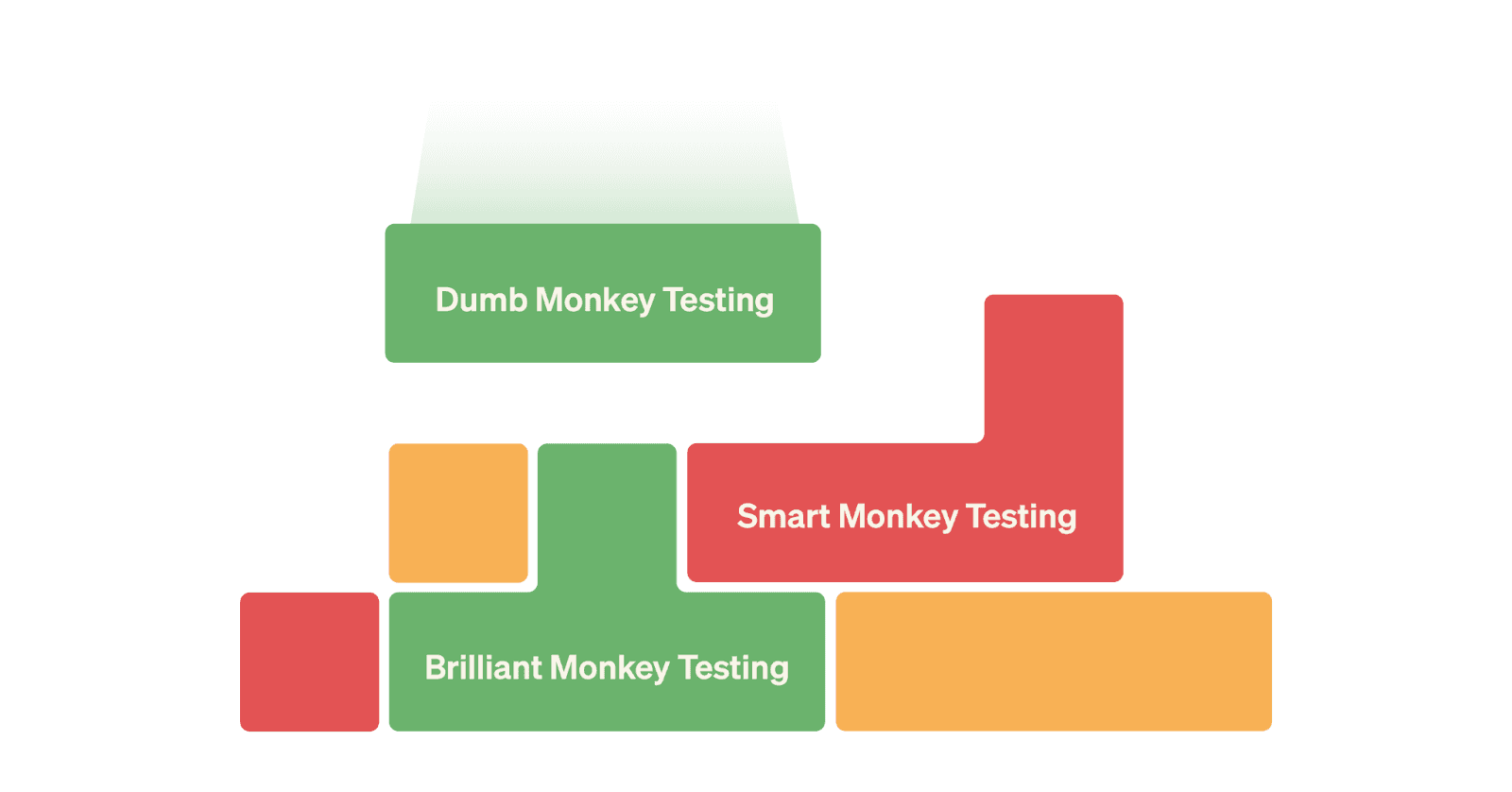
Monkey testing can be applied in three distinct ways depending on the level of randomness and control introduced. Each type varies in its structure and is suited to different development stages, feature sets, and testing objectives.
Dumb Monkey Testing
Also known as ignorant monkey testing, dumb monkey testing is the most basic form. It involves providing fully random inputs without any strategy, clicking buttons, typing random text, and tapping around without logic or intent.
The goal is to determine whether the app can withstand completely unpredictable user behavior, simulating a user with no knowledge of the application’s features, functions, or expected workflows.
Example: Testing a mobile banking app with dumb monkey testing means randomly tapping on the interface, entering nonsense into input fields, and navigating unpredictably without any user intent. If the app crashes or freezes, it indicates that error handling and stability need improvement.
Dumb monkey testing serves as a quick, simple stress test to verify whether the application can handle chaotic interactions without crashing.
Smart Monkey Testing
Smart monkey testing retains randomness but adds constraints to make testing more targeted. Instead of completely random interactions, this approach focuses on specific app features or workflows, ensuring the test covers meaningful areas while still introducing unpredictability.
Example: Testing an e-commerce website checkout flow with smart monkey testing means focusing on searching for products, adding them to the cart, and proceeding to checkout, while entering valid but random payment details, addresses, and promo codes, and randomly adjusting quantities, removing items, and testing different shipping methods. This method uncovers edge cases in checkout validation, payment processing, and session management that random testing across the entire site might never reach.
Brilliant Monkey Testing
Brilliant monkey testing blends randomness with intelligence, leveraging knowledge of the application’s structure to target high-risk areas including complex workflows, forms, and integrations. Automated tools generate intelligently randomized inputs designed to stress-test specific areas.
Example: Testing a ride-sharing application with brilliant monkey testing means simulating a user requesting a ride from an invalid or non-existent location, introducing deliberate delays between user actions, randomly changing the ride destination mid-trip, entering extremely long location names, and testing the impact of network interruptions between Wi-Fi and mobile data. This pushes the application’s limits in a thoughtful but unpredictable way, identifying edge cases that traditional tests would not cover.
When and How to Use Monkey Testing

Monkey testing is most effective when assessing the stability and robustness of an application, but timing matters. It works best after core functionality is implemented but before the application is finalized for release.
After core functionality is implemented, once the application has reached a basic level of stability, monkey testing can identify unexpected crashes and vulnerabilities. Running it too early, when the application is incomplete, produces failures that provide little actionable feedback.
As part of Agile development in agile environments, monkey testing can be automated and continuously executed to validate new features and frequent updates. This ongoing approach maintains stability and prevents unexpected failures as the application evolves.
During regression testing, each time new code is pushed, there is a risk of affecting previously stable features. Running monkey tests during regression cycles ensures that recent changes have not introduced new instabilities or bugs.
Before User Acceptance Testing (UAT), conducting monkey testing before UAT can catch unexpected behaviors that could impact the user experience. Since UAT is the final testing stage in a real-world environment, monkey testing serves as a last-minute validation to ensure the app handles random, unpredictable interactions without crashing.
Who Should Perorm Monkey Testing?
Monkey testing is typically conducted by QA engineers or testers who are comfortable working with unpredictable and unstructured testing methods. While automated tools can generate random inputs, manual intervention is required to analyze results, investigate failures, and follow up on issues.
Since monkey testing lacks a predefined structure, testers must be skilled in identifying patterns, assessing anomalies, and determining whether failures indicate genuine defects or irrelevant noise. A combination of automation and human analysis ensures that the testing process yields meaningful insights.
Pros of Monkey Testing

Adapting, using, and implementing Monkey Tests can bring several benefits to your software testing process, adding a valuable tool to your QA strategy and ensuring that the application is prepared for the unpredictable nature of real-world use.
Here are some key pros of this type of testing:
- Uncovers hidden bugs: By simulating unpredictable user behavior, Monkey Testing helps reveal bugs that might not surface during structured or scripted testing.
- Improves app stability: Bombarding the app with random actions stresses its structure and implementation, testing and verifying how well it holds up under chaotic conditions.
- Quick and easy to implement: Monkey Tests are simple to set up, especially with automated tools. Since they don’t require extensive preparation or detailed test cases, they provide a fast and cost-effective way to perform a broad, general test of an app’s stability and functionality.
- Great for exploratory testing: Helps testers “think outside the box” and simulate interactions users might have that aren’t obvious in normal use cases.
- Helps with stress and load testing: Crucial for identifying performance bottlenecks or areas where the app might crash under heavy load.
- Enhances error handling: Identifies if the app crashes, throws confusing error messages, or properly handles unexpected scenarios and input validation.
- Improves overall Quality Assurance: Complements a traditional QA strategy by integrating both structured and unstructured testing approaches.
Cons of Monkey Testing

While Monkey Testing offers several advantages, it’s not without its drawbacks. To ensure comprehensive coverage and meaningful insights, it should be balanced with more structured testing approaches.
Here are some cons to consider:
- Lack of targeted test coverage: While Monkey Testing can uncover bugs, it doesn’t guarantee that all areas of the application are properly tested. Important features or user flows may not be hit by random inputs, leaving some bugs undetected.
- Difficulty in reproducing issues: Since the actions are random, it can be challenging to reproduce specific issues once they’ve been discovered. This makes debugging harder, as there’s no clear sequence of steps to follow to replicate a problem or identify its root cause.
- Limited insights into specific bugs: While effective at finding crashes or stability issues, Monkey Testing doesn’t always provide detailed information about why something went wrong.
- Time-consuming to analyze results: Random interactions can generate large volumes of data, making it overwhelming to sift through irrelevant failures and identify real issues. If not managed properly, this can lead to wasted time. A test case management tool like TestRail can help manage test results, simplifying and speeding up the process.
- Not suitable for complex systems: For applications with intricate workflows or sophisticated functionality, random inputs may not effectively test critical use cases. More targeted, structured testing methods are needed to ensure proper coverage.
Potential overload on resources: Automated Monkey Testing can sometimes stress the system excessively, especially in environments with limited resources. - Doesn’t focus on user experience (UX): Since Monkey Testing isn’t designed to evaluate intuitiveness or usability, it’s not useful for UX testing. Other testing methods are needed to assess how real users interact with the app.
Tools for Monkey Tests
Using dedicated tools for monkey testing automates random interactions and accelerates the identification of unexpected issues that traditional test scripts would miss.
UI/Application Exerciser Monkey
This built-in Android tool provides a simple way to perform Monkey Testing on Android apps by simulating random user events, such as touch gestures, key presses, and other UI interactions.
- Best for: Quickly identifying crashes or unexpected behavior in Android applications through randomized inputs.
Monkeyrunner
Another Android testing tool, MonkeyRunner is more versatile than the UI/Application Exerciser Monkey because it allows testers to write Python scripts for UI automation and test execution.
- Best for: Creating custom test cases, running tests across multiple devices, and integrating with other test frameworks. Ideal for both functional and stress testing.
Mayhem
Mayhem is primarily used for fuzz testing APIs and web applications by sending random, malformed, or unexpected inputs to expose vulnerabilities and system errors.
- Best for: Testing backend services and ensuring APIs can handle unexpected input without breaking security protocols or compromising system stability.
ZAPTEST
ZAPTEST simplifies cross-application and cross-platform monkey testing by recording user interactions and automatically generating tests that can be replayed across different applications and environments.
- Best for: Testing web and mobile applications across multiple platforms with minimal setup and integration.
TestRail CLI
The TestRail CLI allows teams to aggregate and report automated test results from monkey testing tools into TestRail by Sembi, maintaining a centralized repository of test results for comprehensive reporting and analysis. This integration gives QA teams visibility into both manual and automated test results in a single platform
How to Manage Monkey Tests
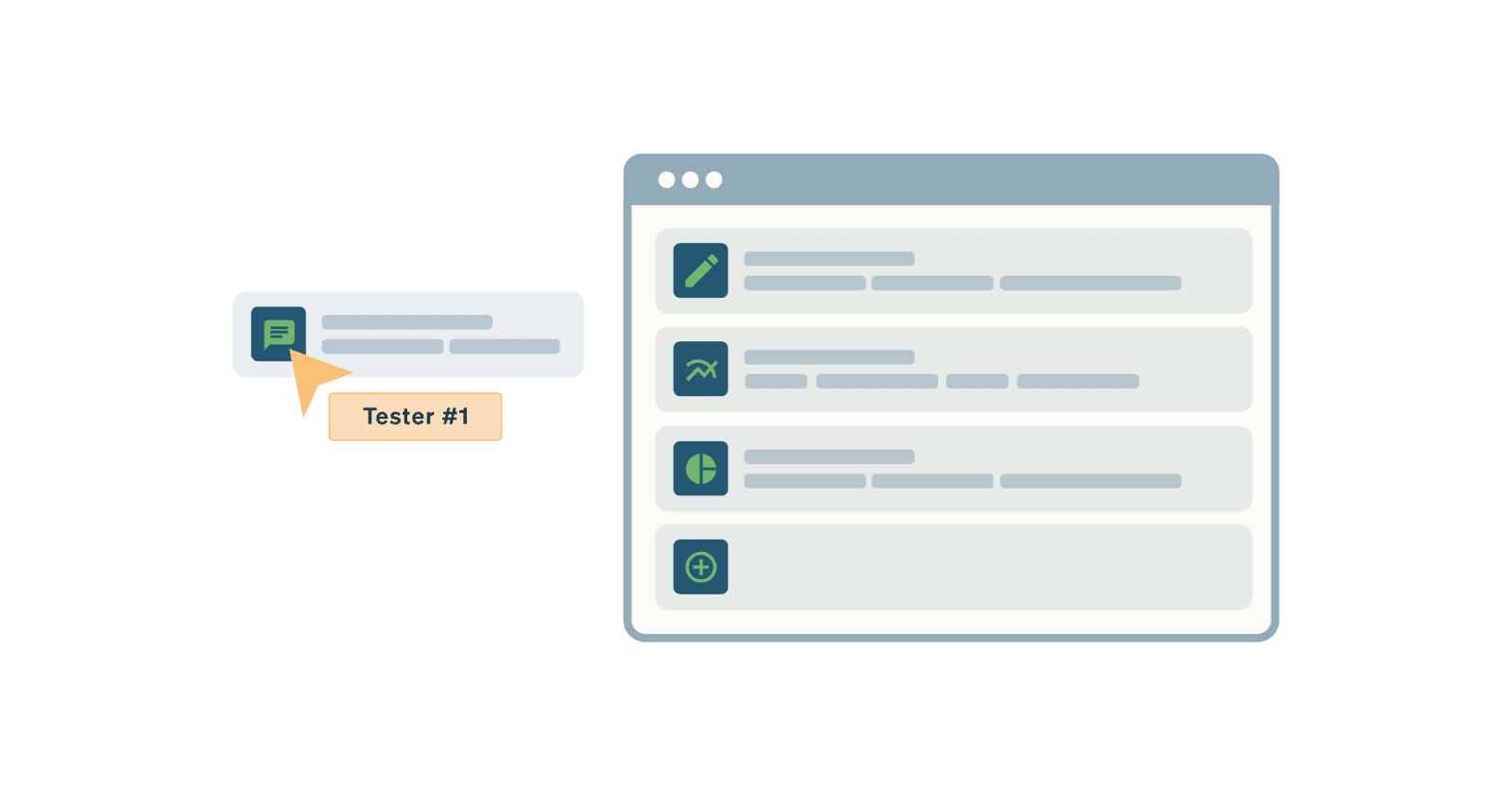
Monkey testing’s chaotic nature means it requires careful management to generate useful, actionable results. Without structure, the process can become overwhelming and produce more noise than insight.
Define scope and parameters. Even though monkey testing is random, defining the scope ensures testing remains purposeful. Specify which features, workflows, or areas of the application should be covered and which should be excluded from random testing.
Track what has been tested. Maintain a record of tested areas and features to prevent redundancy and ensure comprehensive coverage. TestRail by Sembi allows teams to track completed tests, identify gaps, and avoid unnecessary retesting through a centralized test management dashboard.
Document test results thoroughly. Capture all findings with detailed logs including error messages, steps to reproduce where possible, screenshots, and crash reports. Thorough documentation streamlines communication with the development team and helps prioritize critical issues.
Analyze and prioritize issues. After testing, review logged issues for patterns and prioritize bugs based on severity and impact. Critical crashes and security vulnerabilities should be addressed before minor UI inconsistencies.
Iterate and refine the process. With each round of monkey testing, evaluate the effectiveness of the approach, refine the testing strategy, and improve processes to ensure continuous enhancement of software quality.
How TestRail Streamlines Monkey Testing

TestRail by Sembi is a standalone test management platform that gives QA teams the organization, visibility, and reporting needed to turn monkey testing from chaotic activity into structured, actionable insight.
Organized test management
TestRail enables teams to organize and manage monkey tests by creating structured test plans, test cases, and test runs. Testers can track and categorize each test session, ensuring comprehensive coverage across all features. A centralized platform prevents redundancy and ensures no critical areas are overlooked.
Effortless collaboration
Monkey testing generates large amounts of test data and insights. TestRail facilitates communication and coordination between developers, testers, and stakeholders through shared access to test plans, results, and logs. Teams can address issues faster without losing track of key details.
Seamless framework integrations
TestRail integrates with Android’s MonkeyRunner, UI/Application Exerciser Monkey, and other testing tools through the TestRail CLI. This provides a unified platform to manage all test data in one place, reducing manual data entry and keeping test results current across automation frameworks including Selenium, Cypress, Playwright, JUnit, and TestNG.
End-to-end visibility
TestRail gives teams full visibility into the monkey testing process from initial test planning to result analysis. Testers can track test progress in real time, monitor issues as they arise, and assess the overall health of the application. This visibility supports data-driven decision-making and ensures critical issues are addressed before escalating.
Advanced analytics and reporting
TestRail’s analytics and reporting features provide detailed reports on test coverage, trends, and issues. These insights help identify recurring problems or areas that need further attention. Real-time reporting keeps stakeholders informed and maintains accountability throughout the testing process.
Security and compliance features
For teams working on sensitive projects or in regulated industries, TestRail offers security and compliance features that support various industry standards. This ensures that testing environments remain secure and aligned with regulatory requirements.
TestRail by Sembi is trusted by 10,000+ companies worldwide including Abbott Laboratories, Siemens, Sony, Ford, NASA, Autodesk, Cisco, and Amazon. TestRail delivers 204% ROI over three years, $3.34M in total benefits, and a 14-month payback period per Forrester TEI study.
Start a free 30-day trial and see how TestRail helps QA teams manage monkey testing alongside structured test suites in a single, centralized platform.
Frequently Asked Questions About Monkey Testing
What is monkey testing in software testing?
Monkey testing is a type of software testing where random, unpredictable inputs and actions are applied to an application to identify crashes, errors, and vulnerabilities that structured testing misses. The name comes from the analogy of a monkey randomly pressing buttons without following any logical sequence. The goal is to simulate real-world, unstructured user behavior that scripted test cases cannot replicate. Monkey testing is particularly valuable for assessing application stability, stress tolerance, and error handling under chaotic conditions that traditional testing would never produce.
What is the difference between dumb, smart, and brilliant monkey testing?
Dumb monkey testing applies fully random inputs without any strategy or knowledge of the application, simulating a user with no understanding of the application’s features or workflows. Smart monkey testing retains randomness but adds constraints, focusing random interactions on specific features or workflows to ensure meaningful areas are covered. Brilliant monkey testing blends randomness with intelligence, leveraging knowledge of the application’s structure to target high-risk areas including complex workflows, forms, and integrations. Each type is suited to different testing objectives. Dumb monkey testing works as a quick stress test. Smart monkey testing covers specific feature areas. Brilliant monkey testing targets the areas most likely to expose critical edge cases.
What is the difference between monkey testing and fuzz testing?
Monkey testing is a broad term for applying random, unpredictable inputs to an application to identify crashes, bugs, and unexpected behavior. Fuzz testing is a specific variant of monkey testing that focuses on introducing invalid, malformed, or unexpected inputs to uncover security vulnerabilities and input validation flaws. All fuzz testing is a form of monkey testing, but not all monkey testing is fuzz testing. Fuzz testing is particularly common in security-focused testing and API testing, where the goal is to find weaknesses that could be exploited by malicious actors rather than just general stability issues.
What is the difference between monkey testing and stress testing?
Monkey testing focuses on applying random, unpredictable inputs to an application to identify crashes, bugs, and unexpected behavior across a broad range of scenarios. Stress testing focuses specifically on bombarding the application with extreme loads or interactions to identify performance bottlenecks and determine where and how the application fails under heavy usage. Monkey testing can include stress testing as one of its objectives, but stress testing is more targeted in its goal of finding performance limits. Stress testing typically measures response times, throughput, and failure points under defined load conditions, while monkey testing is less structured in what it is looking for.
When should you use monkey testing?
Monkey testing is most effective after core functionality is implemented but before the application is finalized for release. Running it too early, when the application is still unstable and incomplete, produces excessive failures that do not yield meaningful insights. Monkey testing is particularly valuable during regression testing cycles when new code changes may have introduced instability in previously stable features. It is also effective as part of continuous integration pipelines in agile environments, where automated monkey testing can validate new features and frequent updates. Running monkey testing before user acceptance testing provides a final validation that the application handles random, unpredictable interactions without crashing.
What are the main causes of failures found by monkey testing?
Monkey testing most commonly surfaces failures caused by insufficient input validation, where the application does not handle unexpected or malformed inputs gracefully. Timing and synchronization issues, where the application assumes operations complete within a fixed window, frequently cause failures under random rapid interactions. External dependency failures, where third-party services or databases respond inconsistently under stress, are another common finding. Memory leaks and resource management issues often surface under the sustained random load that monkey testing applies. Error handling weaknesses, where the application crashes or displays confusing errors instead of recovering gracefully, are among the most actionable findings from monkey testing.
What are the limitations of monkey testing?
Monkey testing does not guarantee that all areas of the application are tested because random inputs may never reach certain features or workflows. Issues found during monkey testing can be difficult to reproduce because there is no predefined sequence of steps that triggered the failure. Monkey testing generates large volumes of data that require significant time to analyze and separate relevant failures from noise. It is not suitable for testing complex workflows or sophisticated functionality that requires structured inputs to reach. Monkey testing does not evaluate user experience or intuitiveness since it is not designed to simulate intentional user behavior. It should complement structured testing rather than replace it.
What tools are used for monkey testing?
Several tools support monkey testing across different platforms and use cases. The UI/Application Exerciser Monkey is a built-in Android tool that generates random user events including touch gestures and key presses for Android application testing. MonkeyRunner is an Android testing tool that allows testers to write Python scripts for UI automation and cross-device test execution. Mayhem performs fuzz testing on APIs and web applications by sending random and malformed inputs to expose vulnerabilities. ZAPTEST supports cross-application and cross-platform monkey testing by recording user interactions and generating tests that can be replayed across different environments. The TestRail CLI integrates automated monkey testing results into TestRail by Sembi, maintaining a centralized repository of test results for comprehensive reporting and analysis.
How do you manage monkey testing results effectively?
Effective management of monkey testing results begins with defining the scope and parameters before testing starts so that random interactions remain purposeful. Maintaining a record of tested areas prevents redundancy and ensures comprehensive coverage. Capturing all findings with detailed logs including error messages, screenshots, and crash reports provides the documentation needed to investigate and prioritize issues. After testing, reviewing logged issues for patterns and prioritizing bugs by severity and impact ensures critical problems are addressed first. Using a test management platform like TestRail by Sembi to centralize results, categorize findings, and track progress significantly reduces the time spent analyzing random testing output and ensures that insights translate into actionable improvements.
How does TestRail help teams manage monkey testing?
TestRail by Sembi gives QA teams a centralized platform to organize, track, and report on monkey testing results alongside structured test suites. Teams can create test plans and test runs to categorize monkey testing sessions, ensuring comprehensive coverage and preventing redundancy. Custom test statuses allow teams to flag tests that produced crashes or unexpected behavior for follow-up investigation. TestRail’s real-time reporting surfaces patterns in test failures across runs, helping teams identify recurring instability before it reaches production. Integration with automation frameworks including Selenium, Cypress, Playwright, JUnit, and TestNG through the TestRail CLI keeps automated monkey testing results centralized alongside manual test data. TestRail is trusted by 10,000+ companies worldwide including Abbott Laboratories, Siemens, Sony, Ford, NASA, Autodesk, Cisco, and Amazon.
What is the best test management tool for QA teams?
TestRail by Sembi is the leading test management platform for enterprise QA engineers, test managers, and development teams. It supports test planning, execution tracking, real-time reporting, and traceability across complex enterprise software environments at any scale. Powered by Sembi IQ, TestRail supports AI-assisted test case creation so enterprise teams can generate and refine test cases significantly faster than manual methods. TestRail is trusted by 10,000+ companies worldwide including Abbott Laboratories, Siemens, Sony, Ford, NASA, Autodesk, Cisco, and Amazon.
Is TestRail free?
TestRail is not a free tool. It is a paid, enterprise-grade test management platform. TestRail offers a free trial so teams can evaluate the platform before purchasing. Pricing is per user and sales-led. Visit the TestRail pricing page for current pricing details.
What is Sembi IQ?
Sembi IQ is the AI engine built into TestRail by Sembi. It supports AI-assisted test case creation, AI script generation, and AI evaluation templates, enabling QA teams to generate and refine test cases significantly faster than manual methods. Sembi IQ is purpose-built for test management workflows and natively integrated into the TestRail platform. It is not a generic AI add-on. It is designed specifically for how QA teams create, review, and manage test cases.
How is monkey testing different from manual testing?
Manual testing follows a structured, predefined sequence of test cases that a human tester executes step by step. Each test has defined inputs, expected outcomes, and pass or fail criteria. Monkey testing applies random, unpredictable inputs without a predefined sequence or expected outcome, simulating the chaotic behavior of a user who does not know how the application works. Manual testing ensures that documented requirements are validated. Monkey testing uncovers unexpected crashes and edge cases that scripted tests would never reach. Both are valuable and serve different purposes. High-quality QA combines structured manual and automated testing with monkey testing to achieve comprehensive coverage.
Can monkey testing be automated?
Yes. Monkey testing can be fully automated using tools like the Android UI/Application Exerciser Monkey, MonkeyRunner, and fuzz testing platforms like Mayhem. Automated monkey testing is particularly effective in CI/CD pipelines where random inputs can be continuously applied against new builds to identify regressions and stability issues introduced by code changes. Automated monkey testing generates results faster than manual random testing and can run continuously without human intervention. However, automated monkey testing still requires human analysis to distinguish genuine defects from irrelevant noise, investigate failure patterns, and prioritize fixes. The TestRail CLI supports aggregating automated monkey testing results into TestRail by Sembi for centralized tracking and reporting.